




















Table of Contents
- • EmEditor Review Summary
- • About EmEditor
- • Other opinions about EmEditor
- • Overview of EmEditor
- • EmEditor Review
- • EmEditor Free Review
- • EmEditor Professional Review
- • EmEditor Pros & Cons
- • EmEditor Return Policy
- • EmEditor Shipping Policy
- • EmEditor Contact Information
- • Where to buy EmEditor?
- • Conclusion of EmEditor reviews & ratings
EmEditor Review Summary
EmEditor is a software tool designed for Windows that generally focuses on handling extremely large text and CSV files efficiently. It serves a specialized role in the software category by offering high performance and advanced CSV editing capabilities. Its speed and feature set often meet the needs of professional users managing extensive data, though it may require a learning curve and licensing investment.
Highlights
- Suitable for professionals working with large data files on Windows
- Supports text, code, and CSV editing with files up to 16 TB
- Powerful but limited to Windows with a cost and complexity trade-off
- Balanced performance and features rated 8.3/10
Within the broader category of text editors and CSV tools, EmEditor occupies a niche focused on large file performance and advanced features. Alternatives exist with differing capabilities and platform support, so users might consider options based on their system and needs. For a detailed technical perspective, see EmEditor review.
About EmEditor
Working with extremely large text or CSV files can overwhelm typical Windows tools, causing crashes or slow performance. Professionals handling big logs or data need efficient software that can keep up without lag. This need for speed and stability is critical in many technical and administrative roles.
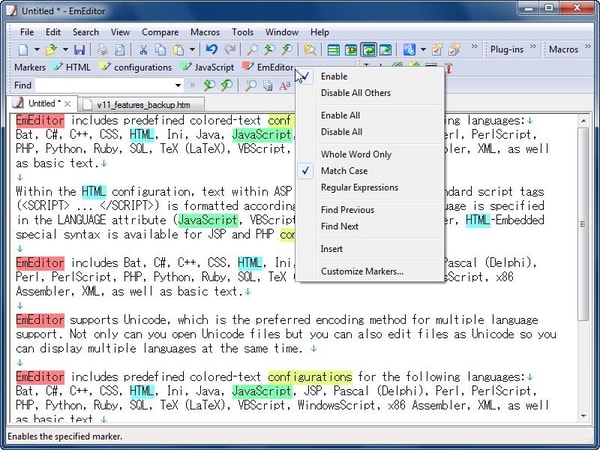
EmEditor is a Windows-based text editor designed to handle very large files efficiently and provide advanced CSV editing tools. Positioned within the software category, it caters to users requiring professional-grade performance for text, code, and data manipulation. Its features extend to scripting, macros, and AI-assisted editing, making it a specialized tool for demanding tasks.
EmEditor has earned recognition through over 24 international awards and holds Microsoft’s Windows 10 certification. It is widely used by corporations, educational organizations, and government institutions worldwide. Media outlets like ZDNet have praised its speed, and experts recommend it for security and log analysis tasks.
This software is best suited for users who prioritize fast, reliable processing of large files and need powerful CSV functionalities. While it requires some time to learn advanced features and a paid license for full access, potential users can find detailed guidance in the EmEditor review. Understanding these trade-offs helps assess whether it fits individual workflows and technical needs.
Overview of EmEditor
EmEditor is a software product developed by Emurasoft, Inc. specializing in text editing for the Windows platform. It is designed to handle very large files and complex text data, serving as a specialized tool in the software category. The development roots trace back to a creator-driven project with a focus on performance and extensibility.
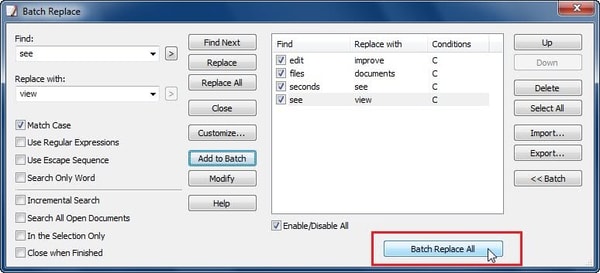
The company operates by offering both free and professional editions with subscription and lifetime licensing options. Distribution is managed directly through the official website and Microsoft Store. Its operations include continuous software development, customer support, and integration of features such as plug-ins, macros, and AI tools. The product supports advanced text editing, CSV manipulation, and log file analysis specifically for Windows users.
EmEditor has been in active development for over a decade and maintains Windows 10 certification from Microsoft. It supports extremely large files up to 16 TB, utilizing multithreaded processing and CPU optimizations. The software has received more than two dozen international awards and is used by corporations, educational institutions, and government agencies worldwide. Key technical milestones include integration of AI-assisted writing and extensive macro scripting capabilities. EmEditor Review reflects its sustained presence and specialized market role within software tools for text and data handling.
EmEditor Review
EmEditor is a software brand focused on providing high-performance text editing solutions for Windows users. It is known for handling very large files and complex data sets, catering to professionals like developers, data analysts, and system administrators. The brand emphasizes robust performance and advanced data management capabilities.
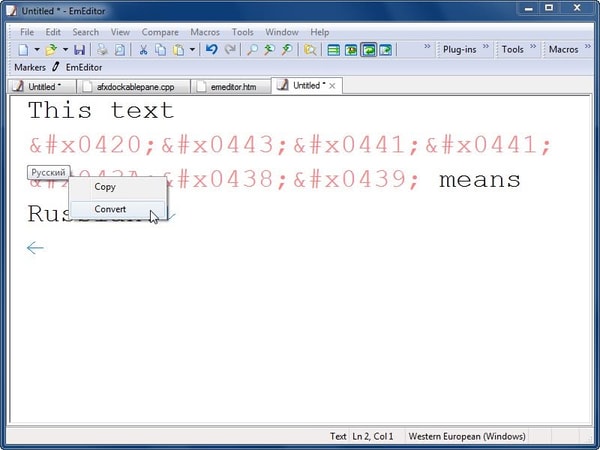
EmEditor offers both free and professional editions of its text editor, designed to efficiently open and manipulate files up to 16 TB. The software incorporates multithreading, CPU optimizations, and advanced CSV editing features. Positioned as a specialized tool, EmEditor supports extensibility through macros and AI plugins, making it a versatile choice for large-scale text processing on Windows.
EmEditor Highlights- Supports files up to 16 TB
- Multithreaded performance
- Advanced CSV editing
- Scriptable JavaScript macros
- AI-assisted writing plugin
EmEditor Free Review
EmEditor Free is a text editor designed for Windows users seeking essential and lightweight editing capabilities. It belongs to the category of text editors optimized for handling large files with basic functionality.
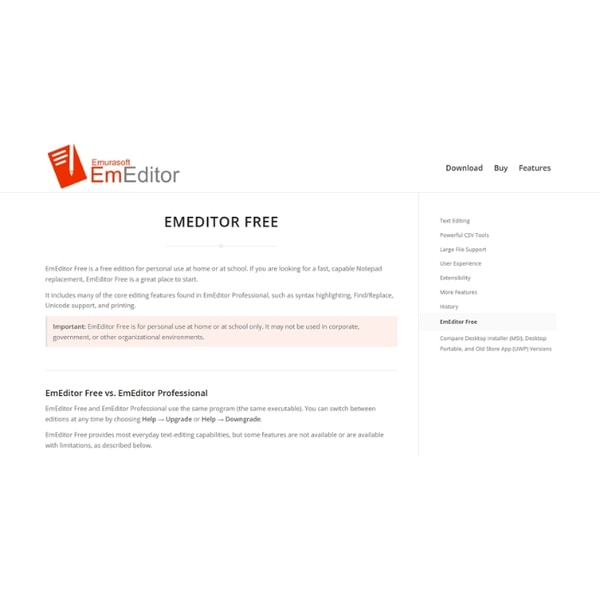
This edition supports opening and editing files up to 16 TB and includes limited macros and plug-ins. It does not provide access to advanced CSV tools or AI integration found in the professional version.
EmEditor Free suits casual users or those evaluating the software who require compatibility with large file sizes on Windows. The software is distributed through direct downloads from the official website and Microsoft Store, offering an accessible option without subscription requirements.
Check Price • emeditor.com
EmEditor Professional Review
EmEditor Professional is a text editor designed for power users and professionals who need to manage very large text and CSV files. It falls into the software category focused on advanced text and data editing with capabilities tailored for large-scale file handling.

The software includes advanced filtering, pivot tables, and scripting features to enhance data manipulation and analysis. Performance optimizations such as multithreading and SIMD CPU instructions improve speed, while AI-powered writing assistance is available through plugins.
EmEditor Professional offers licensing options including monthly subscriptions at 6 USD, annual subscriptions at 60 USD, and lifetime licenses with volume discounts. It is compatible with Windows 10 and later, and available for direct purchase through official channels.
Price $6 • emeditor.com
EmEditor Pros & Cons
EmEditor excels at handling extremely large files up to 16 TB, offering specialized features like advanced CSV editing and scriptable macros using JavaScript. Its performance is enhanced by multithreading and SIMD optimizations, and it benefits from continuous updates and support from its developers. The software is certified for Windows 10, ensuring compatibility and reliability on this platform.
However, EmEditor is limited to Windows users only and requires a paid license to access its full professional capabilities. The advanced features come with a steep learning curve, which may require users to invest time to fully leverage the software. These factors make it more suited for professional users needing robust text and data handling features rather than casual users.
- • Handles very large files up to 16 TB
- • Extensive CSV editing capabilities
- • Scriptable macros with JavaScript API
- • Optimized performance with multithreading and SIMD
- • Windows 10 certification
- • AI-assisted writing plugins
- • Regular updates and active developer support
- • Windows-only platform
- • Steep learning curve for advanced features
- • Requires paid license for full capabilities
EmEditor Return Policy
EmEditor Shipping Policy
EmEditor is delivered exclusively through digital download from the official website and the Microsoft Store. No physical shipping is involved. The software is available worldwide for users running Windows operating systems.
Access to the software is immediate upon purchase. License keys are managed via the Emurasoft Customer Center. Use of EmEditor requires a Windows OS environment to activate and operate the software.
EmEditor Contact Information
Users can contact EmEditor primarily through its official website and support channels for assistance with orders, licensing, technical issues, and refunds.
Support is mainly provided via website forms and forums with involvement from the software creator and team. No direct email or phone support is publicly available.
Where to buy EmEditor?
Users can purchase EmEditor officially through its website and Microsoft Store, with the main source being the official site where account management, license activation, and support are integrated for reliable access. Buying from the official channel ensures transparency in licensing policies and access to customer support, though marketplace variations like the Microsoft Store may have policy differences. When purchasing, users should expect digital delivery and activation, while offline availability is not typical, so service and stock experiences may differ from physical retail environments. This summary aligns with insights from the EmEditor Review and includes the link emeditor.com for reference.
Conclusion of EmEditor reviews & ratings
Text editors play a crucial role in managing and analyzing large files, and EmEditor stands out for its performance and specialized features. Its ability to efficiently handle files up to 16 TB, coupled with advanced CSV tools and AI integration, makes it a valuable resource for Windows users seeking robust solutions without compromise. More details can be found at emeditor.com.
For those interested in exploring further, this EmEditor review offers an in-depth look at its capabilities and limitations. Revisiting the review can help you make an informed decision about whether it fits your workflow needs with confidence and clarity.
Editorial notes reflect aggregated buyer feedback and our independent editorial review of publicly available information. They are for informational purposes only and do not constitute endorsements. Purchases are made at your own discretion, and we are not responsible for transactions or outcomes related to this store. Experiences may vary. This content is assisted by AI and reviewed by our editorial team. While we strive for accuracy, AI-supported information may not always be 100% precise, so please verify any critical details.

